The Epson TM-T88II Printers are very reliable but occasionally they get stuck and need resetting. This is normally indicated by a flashing red Error light. To do this turn the printer off at the front hold down the feed and keep holding it down while you turn the printer back on. This should clear the error and allow you to continue.
| Occasionally the blade gets stuck. You can reset the blade by hand. On the front leading edge of the printer, just in front of where the receipt comes out, is a panel that will slide forward. Underneath that is a cog/wheel ans a cutaway hole. There should be instructions to tell you to move the wheel round until there is a triangle showing through the cutaway hole. this means that the cutter is reset in the correct place. | 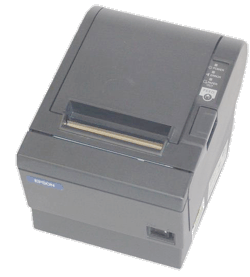 |