The Epson printer has it's own power supply and transformer which plug directly into the power socket in the wall. It connects to the till via the parallel port (LPT Port) there is only one place this can connect so there should be no confusion.
Once the printer is connected to the till go to JGV602\Printer_Epson and open up TmfLogo.exe This will load the screen below.
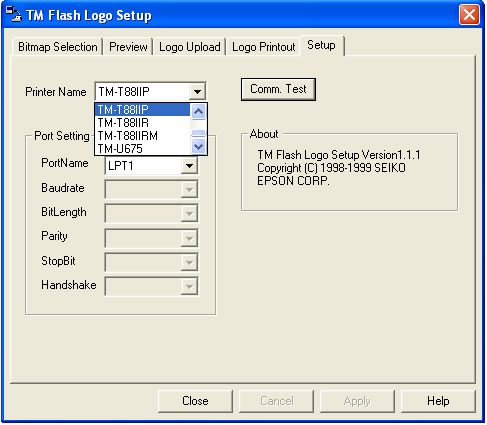
From the Printer Name drop down list select TM-T88IIP
Click on the Comm Test Button to check the software can connect to the printer. When you have successfully connecter to the printer click on the Logo Upload Tab and select the logo needed and click the Upload button.